
Using IPTV without an operator box and without a WiFi network relies on two pillars: the choice of the broadcasting terminal and the type of network connection used. Viable configurations exist, but they impose technical constraints that most consumer guides underestimate, particularly regarding mobile data consumption and latency in real-world conditions.
Wired Ethernet Connection and 4G/5G Tethering for IPTV
The Ethernet cable remains the most stable connection for streaming IPTV, including without an operator box. A 4G or 5G router connected via Ethernet to a Smart TV or an Android TV box eliminates WiFi from the transmission chain. Latency drops, packet loss decreases, and buffering becomes rare even with HD streams.
For those without a fixed line at all, a 4G/5G router with an Ethernet port (Huawei B535, TP-Link Archer MR600 or equivalents) serves as the hardware foundation. The necessary download speed is around 10 Mbps stable for a 1080p stream without stuttering. In 5G with adequate coverage, this threshold is easily surpassed.
One hour of HD streaming consumes about 3 GB of mobile data. This figure dictates the entire sizing of the plan. Three hours daily over a month therefore represents considerable consumption, incompatible with most capped plans. We recommend an unlimited data plan or a very high-volume plan for regular use. Several guides detail the solutions for IPTV without a box and without WiFi considering this network constraint.
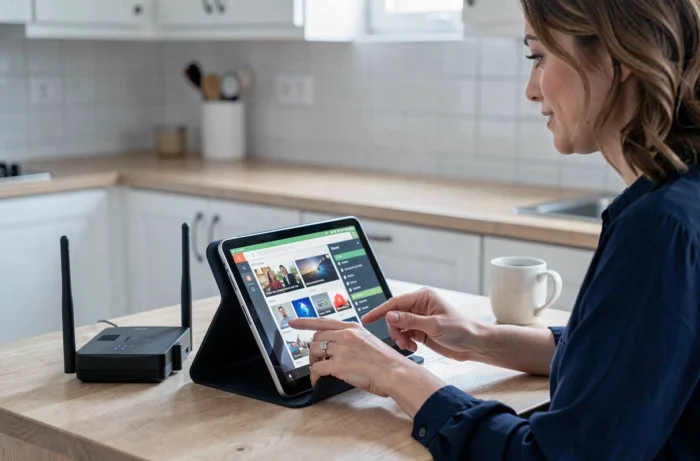
Smart TV, HDMI Stick, and Android TV Box: Which Terminal Without an Operator Box
The reception terminal determines the quality of the experience as much as the connection. Three categories of hardware cover almost all IPTV uses without a box.
Smart TV with Native IPTV Apps
Connected TVs running Tizen (Samsung), webOS (LG), or Google TV come with app stores where compatible M3U or Xtream Codes IPTV players can be found. The Ethernet port integrated into most Smart TVs allows complete elimination of WiFi by directly connecting the network cable.
The limitation comes from the built-in processor. Entry-level Smart TVs struggle to decode heavy H.265 streams, causing micro-freezes on high-definition channels.
HDMI Stick like Fire TV Stick or Chromecast
These dongles turn any TV with an HDMI port into an IPTV terminal. The Fire TV Stick 4K Max supports the H.265 codec and has an Ethernet port via a USB adapter. The Chromecast with Google TV offers the same possibility with a dedicated Ethernet adapter.
In the absence of a wired adapter, these sticks work exclusively over WiFi. For use without WiFi, purchasing the Ethernet adapter is necessary, a detail rarely mentioned in commercial guides.
Dedicated Android TV Box
An Android TV box with a Gigabit Ethernet port and at least 4 GB of RAM offers the best performance/flexibility compromise. The Nvidia Shield TV or Mecool KM2 Plus models access the Google Play Store, support major IPTV players (TiviMate, IPTV Smarters Pro, OTT Navigator), and decode 4K HDR streams without slowdown.
- Nvidia Shield TV Pro: Native Gigabit Ethernet, Tegra X1+ processor, 4K HDR Dolby Vision decoding, expandable storage via USB
- Fire TV Stick 4K Max: compact, Ethernet compatible via adapter, smooth interface but partially closed ecosystem (sideloading necessary for some IPTV apps)
- Mecool KM2 Plus: certified Android TV, 100 Mbps Ethernet port, reasonably priced, sufficient for HD streaming but limited in 4K on heavy streams
Legal Risks of Illegal IPTV in France: What the Law Says in 2026
France has strengthened its arsenal against IPTV piracy. An automatic blocking mechanism for pirated live streams has been adopted, specifically targeting unauthorized sports broadcasts. This system allows rights holders to request DNS blocking of illegal IPTV servers within minutes, without going through a full judicial procedure for each occurrence.
On the user side, penalties are no longer theoretical. Fines for using pirate IPTV services have been increased. Simply subscribing to an IPTV service that broadcasts protected content without authorization exposes one to prosecution, even without the intent to redistribute.
Legal IPTV exists: OTT services like Molotov, Netflix, MyCanal, or operator offers accessible via application (without a physical box) broadcast licensed content. Distinguishing a legal IPTV provider from a pirate service involves a few simple criteria:
- The provider has an identifiable legal entity (head office, legal mentions, SIRET number or equivalent European identification)
- The catalog does not simultaneously offer all premium French and foreign channels at a ridiculous price
- Payment is made by credit card via a secure platform, not only by cryptocurrency or transfer to a foreign account
- Applications are available on official stores (Google Play, App Store) and not only downloadable as APK from a third-party site
Optimizing IPTV Stream Stability Without WiFi: Network and Application Settings
Connecting an Ethernet cable alone does not always guarantee an uninterrupted stream. Several settings on the network side and the application side make a difference.
Changing the default DNS servers of the router to fast DNS (Cloudflare 1.1.1.1 or Google 8.8.8.8) reduces the resolution time of IPTV server addresses. On a 4G/5G router, this modification is made in the administration interface, network tab.
Increasing the buffer size in the IPTV player absorbs micro-variations in bitrate. On TiviMate or IPTV Smarters Pro, setting the buffer to a few extra seconds stabilizes playback without introducing noticeable lag on live streams.
Disabling IPv6 on the router when the IPTV provider does not support it avoids failed connection attempts that prolong the loading time of channels. This point remains poorly documented, but we observe a notable improvement in channel switching on several tested configurations.
The choice of streaming protocol in the application (MPEG-TS vs HLS) also affects stability. The MPEG-TS protocol generally offers less latency on live streams than HLS, but the latter manages bandwidth variations better on a mobile connection.
IPTV without a box and without WiFi works reliably as long as one masters the entire chain, from the data plan to application settings. The weak link is almost always the available bandwidth, not the hardware.